Identify a ROM by checksum in the browser
Use the browser ROM identifier to identify a ROM by checksum. Find its recorded game name, region, and revision when the identification data contains a match. Your file stays on your device.
Already have a hash? Search ROM checksums without adding a file.
Choose Checksum to calculate a file's hash and compare it with a published value. Choose Test to run a supported game in an emulator; successful playback does not establish that it is the exact ROM a patch requires.
Identify a file
- Open Identify.
- Add one or more ROMs or supported archives. Each file gets its own result.
- Wait for identification to finish.
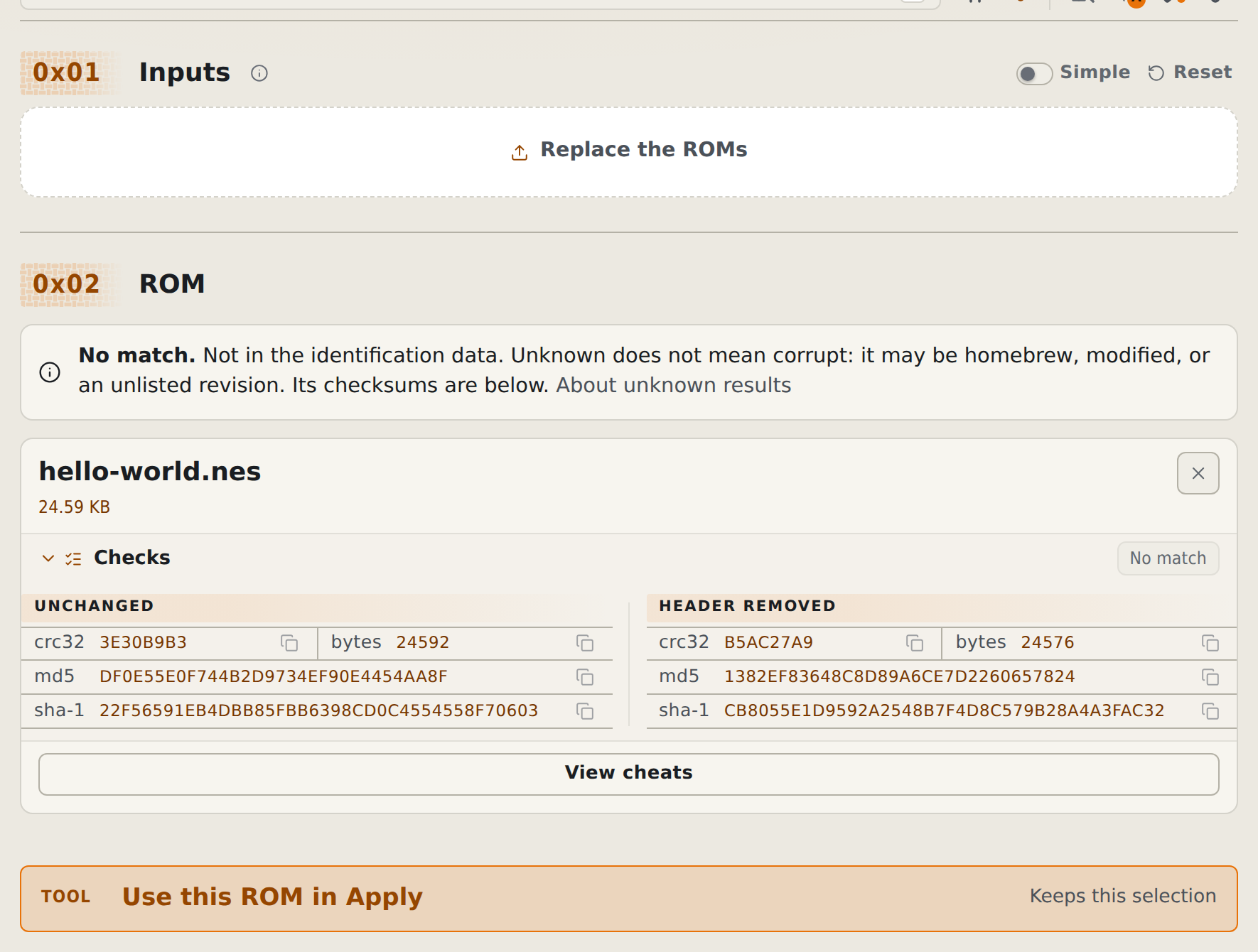
- Read the result on the ROM card. Its Checks drawer lists the checksums; switch from Simple to Detailed to add the Identify drawer. The switch label shows the active view.
An archive can produce several results. Each result names its member so you can tell which ROM it describes.
An unknown ROM shows one neutral No match notice above its card, with its checksums still listed. It means no matching checksum was found in the available data. It does not prove that your file is corrupt. Homebrew, modified ROMs, and unlisted releases can be unknown.
If several records share the checksums, read every candidate. If identification data could not load, check your connection and select Retry identification.
Search without a file
Follow Search ROM checksums to look up an existing CRC32, MD5, or SHA-1 hash. That guide also covers finding releases by game name.
Inspect known cheats
- Add a ROM or archive and wait for Identify to finish.
- Select View cheats on the matching result or expected-ROM candidate.
- Search the matched game's known codes.
- Open Code details for original database fields and import warnings.
This view is for inspection. It includes checksum-only matches and candidates found inside archives, even when rom-weaver has not verified that a code is compatible with those exact bytes. Open Apply cheat codes or Create a patch from cheat codes to classify and use a code.
Compare a checksum
Open Checks on the ROM card. Compare the same algorithm with the value in the patch author's notes. Select a checksum row to copy it.
For an archive, these checks describe the ROM inside it. A checksum for the ZIP itself is different.
Some cards include variants, such as a ROM without its copier header. Compare the form the author specifies. If the values differ, follow Fix a checksum error.
For SHA-256 and other algorithms, or to compare a pasted value automatically, use Checksum a ROM.
For data sources and offline requirements, see Where identify data comes from. Terminal procedures are in Identify and hash ROMs from the CLI.